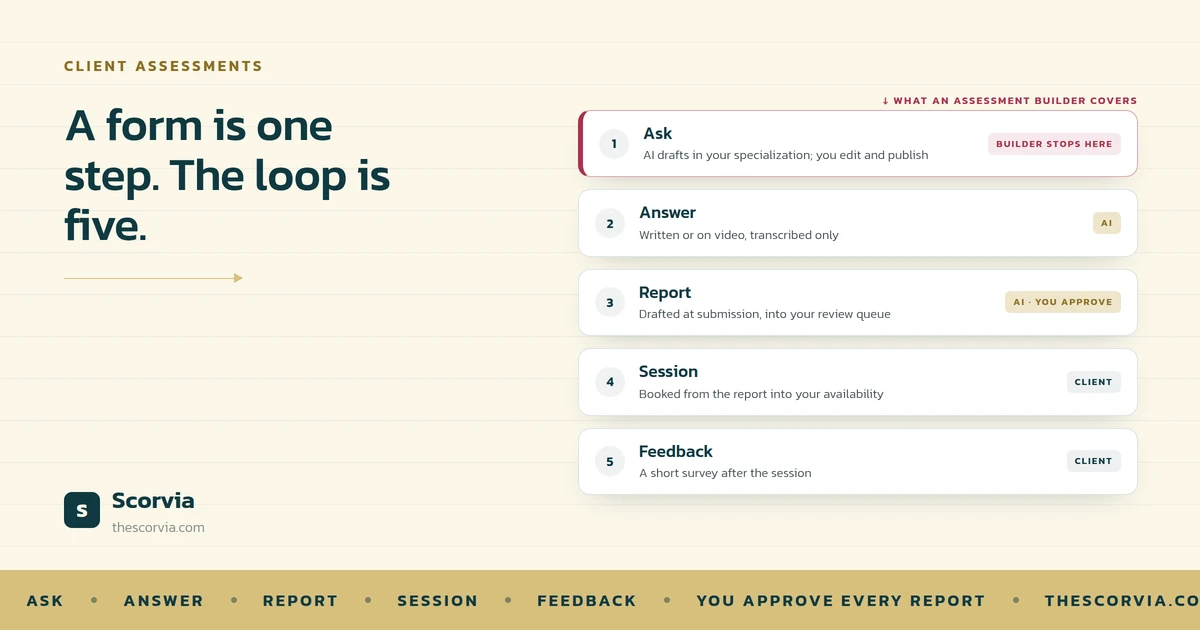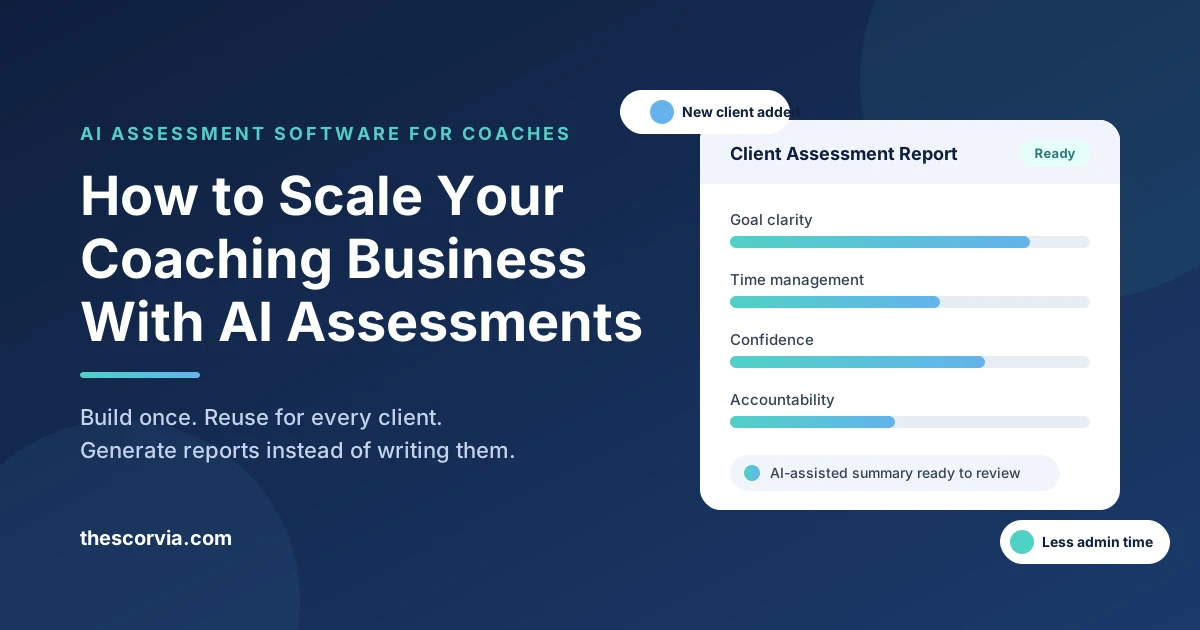
You scale a coaching business by removing yourself from the repetitive parts of client work, and assessments are usually the most repetitive part. Scorvia's AI assessment software lets you build a custom assessment once, send it to every new client, and turn their answers into a report without rebuilding anything by hand.
Most coaches hit a ceiling somewhere between 10 and 20 active clients. The limit is rarely demand. It is the hours spent writing intake questionnaires, chasing responses, and copying answers into a document before the first session even starts.
This guide explains where that ceiling comes from, what Scorvia does about it, and a practical step-by-step way to use it so you can take on more clients without adding more admin.
Why coaching businesses stop growing at a certain client count
Coaching businesses stall because the assessment and reporting work grows with every client, while your available hours stay fixed.
Here is what that looks like in practice for most independent coaches:
•Intake questionnaires live in Google Forms, Typeform, or a Word document that gets edited for each client.
•Responses come back by email or in a spreadsheet, and someone has to read them line by line.
•The "report" is a summary you write yourself, often the night before a session.
•Progress check-ins repeat the whole cycle every few weeks.
None of these tasks is hard. The problem is that each one scales linearly with clients. Add ten clients and you add ten of everything.
That is why the usual advice to raise your prices or hire an assistant only buys time. The underlying process is still manual. Scaling means changing the process, not just the price.
What is Scorvia's AI assessment software?
Scorvia is an AI-powered assessment builder that helps coaches and other professionals create custom assessments, collect client responses, and generate reports from one platform.
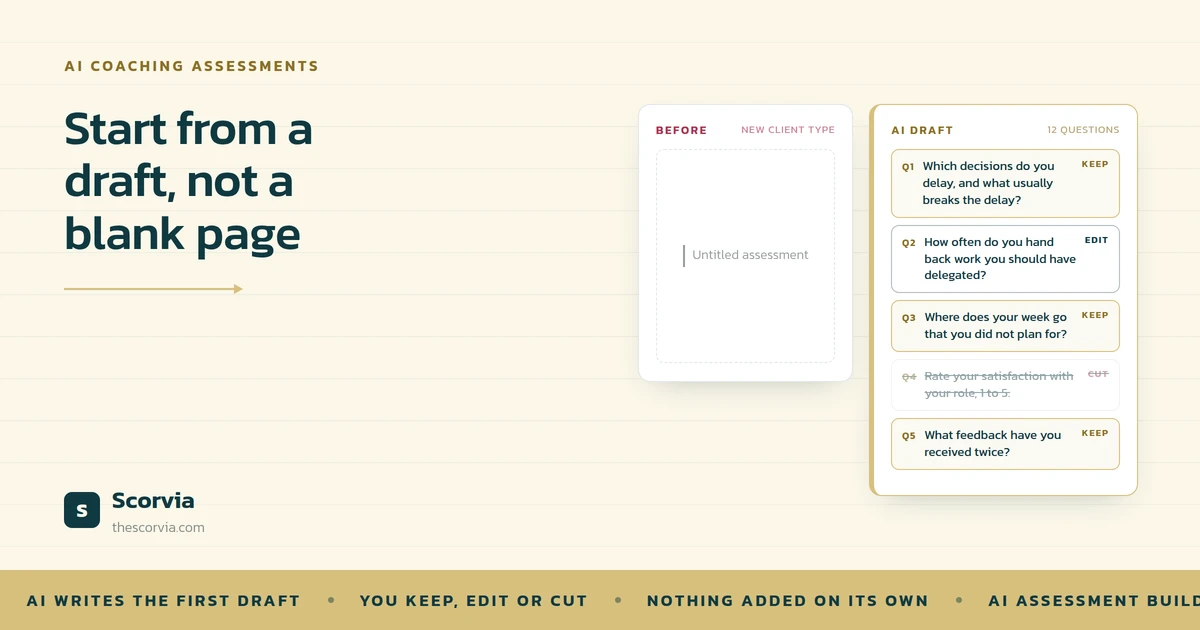
Instead of starting from a fixed, generic questionnaire, you describe what you want to measure and build the assessment around your own coaching method. The AI assists with drafting and structuring questions, and you keep control over the final wording.
In plain terms, Scorvia covers four jobs that most coaches currently spread across three or four tools:
1.Building the assessment (AI-assisted, fully customisable questions)
2.Sending it and collecting responses from clients
3.Turning responses into results and a readable report
4.Keeping client assessments organised in one place
It is a subscription SaaS product, so there is nothing to install and the assessments you build stay available for every future client.
How to scale your coaching business with Scorvia: a 5-step process
The fastest way to scale with Scorvia is to build your core assessments once, then reuse and customise them for every client instead of starting from scratch.
Step 1: Turn your intake process into a reusable assessment
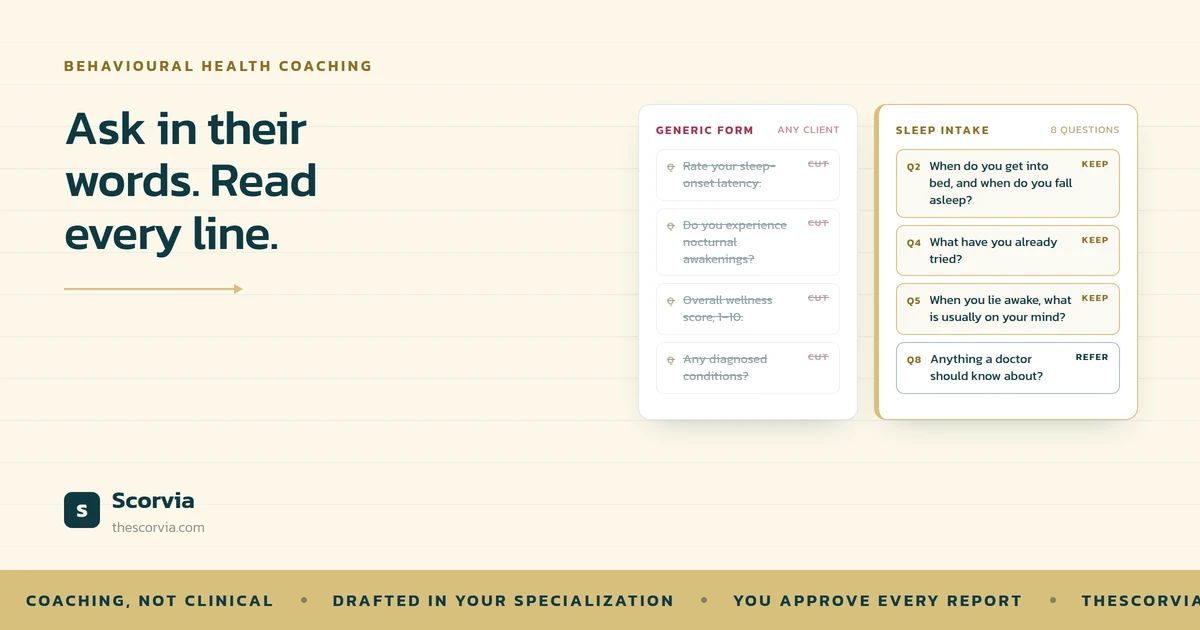
Start with the questionnaire you already send new clients. Rebuild it in Scorvia's assessment builder, using the AI to draft or tighten questions where your current version is thin.
Keep the questions that reveal what you actually coach on and drop the ones you never use in a session. This is usually the first time a coach sees their intake process laid out as a structured assessment rather than a document.
Step 2: Customise per niche, not per client
One reason assessments feel like work is that coaches rewrite them for every person. In Scorvia, build a small set of variants instead: one for executive clients, one for career changers, one for wellness clients, and so on.
You then customise the questions for a niche once, and every client in that niche gets the right version. Individual tweaks are still possible, but they become the exception rather than the routine.
Step 3: Send the assessment and let responses come to you
Share the assessment with the client and let Scorvia collect the responses. You are no longer chasing email replies or opening attachments; the answers arrive in the platform, attached to that client.
For group programmes or cohorts, this is where the time saving is most visible. Ten participants complete the same assessment, and you have ten sets of results without ten separate threads.
Step 4: Generate the report instead of writing it
Scorvia turns the responses into assessment results and a report you can review with the client. The structure comes from the assessment you built, so the report reflects your framework and your language.
Review it, add your own observations, and bring it into the first session. The preparation that used to take an evening now takes the time it takes to read the report.
Step 5: Re-run the same assessment to show progress
Run the same assessment again at the midpoint and the end of an engagement. Because the structure is identical, you can show the client where things have moved.
This matters for scaling for two reasons. Clients who can see progress renew more readily, and a documented before-and-after becomes the strongest material you have for referrals and case studies.
Which coaches benefit most from AI assessment software?
Coaches who already use some form of structured assessment benefit most, because Scorvia removes the manual work around a process they have already proven.
| Coaching type | Where Scorvia helps most |
|---|---|
| Executive and leadership coaches | Self-assessments at intake and at the end of an engagement, with a report to share with the client or sponsor |
| Career and life coaches | Niche-specific intake variants and progress check-ins across a programme |
| Health and wellness coaches | Repeatable lifestyle or habit assessments run at regular intervals |
| Business and consulting coaches | Diagnostic assessments for clients, with a report that frames the recommendations |
| Group programme and cohort leaders | One assessment, many participants, results collected in one place |
If you coach purely conversationally and never assess, start with Step 1 above. Building a single intake assessment is the smallest useful change, and it is where most coaches see the first saving.
What to look for in an AI assessment tool for coaches
The right AI assessment tool lets you build around your own method, collects responses for you, and produces a report you would actually hand to a client.
Use this checklist when comparing options, including Scorvia:
•Custom questions, not a fixed template. Your coaching framework should shape the assessment, not the other way round.
•AI that assists drafting without taking over. You should always be able to edit, reorder, and remove questions.
•Response collection built in. If clients still reply by email, you have not removed the admin.
•Report generation from the responses. Look for reports structured around your assessment, not a generic score.
•Client management in the same place. Assessments, results, and reports should sit with the client record.
•Reusability. Build once, run for every client, and re-run to measure change.
•A clear subscription model. Predictable monthly cost is easier to price into your packages than per-assessment fees.
Scorvia is built around these points. It is not a replacement for your judgement as a coach; it handles the building, collecting, and reporting so that your judgement is spent in the session, not before it.
Frequently asked questions
Can AI assessment software replace a coach's own assessment process?
No. Scorvia helps you build, deliver, and report on assessments faster; the framework, the questions, and the interpretation stay yours.
How long does it take to build a client assessment in Scorvia?
You can rebuild an existing intake questionnaire in a single sitting. The AI drafts and structures questions, and you refine them in the builder.
Does Scorvia work for group coaching programmes?
Yes. One assessment can be sent to every participant in a cohort, and responses are collected in one place rather than across separate emails.
Can I use the same assessment to track client progress?
Yes. Re-running the same assessment at the midpoint or end of an engagement lets you compare results against the intake baseline.
Is Scorvia only for coaches?
No. Scorvia is used by coaches, consultants, trainers, and wellness professionals, and by any organisation that runs client assessments.
How is Scorvia priced?
Scorvia is a subscription SaaS product. Current plans are listed on thescorvia.com.
Start with one assessment, then scale
Scaling a coaching business is a process problem before it is a marketing problem. Fix the part that repeats for every client, and the capacity to take on more clients appears without longer days.
Scorvia gives you that fix in one place: build a custom assessment with AI assistance, collect responses, generate the report, and keep every client's assessments together.
Start with your intake assessment. Rebuild it in Scorvia this week, send it to your next client, and compare the preparation time against your current process. Visit thescorvia.com to get started.