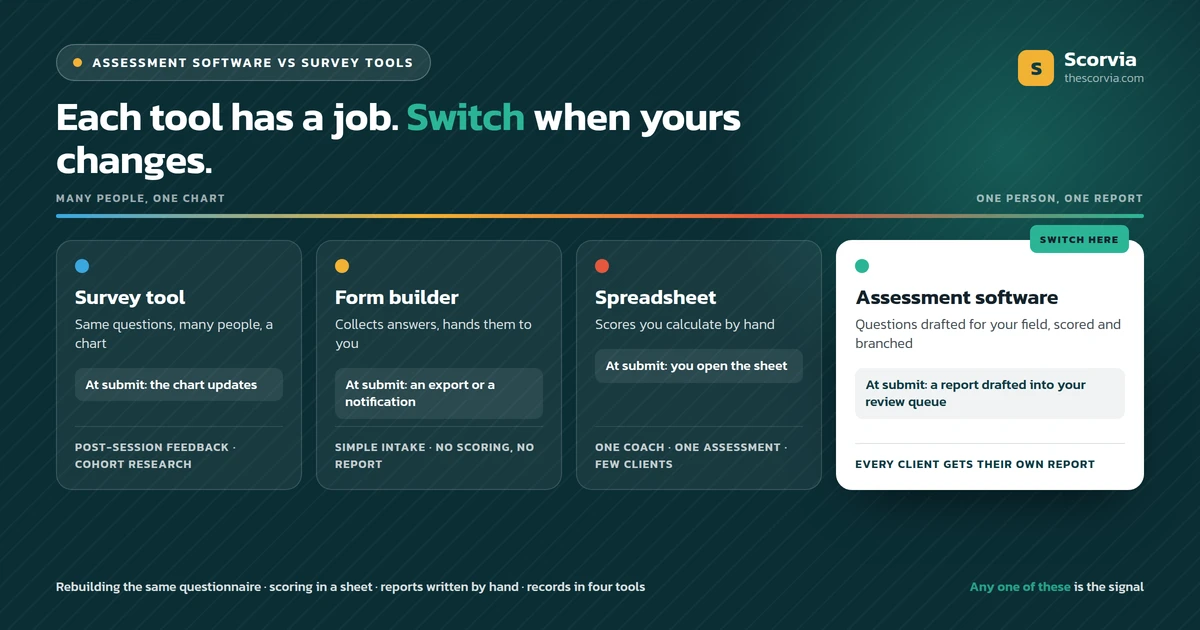
Use a survey tool when you want the same answers from many people and a chart at the end. Use a form or a spreadsheet when one coach needs a simple intake with no scoring, no branching and no report. Switch to assessment software when every client gets their own report, when you are rebuilding the same questionnaire, when scoring lives in a spreadsheet, or when the report is written by hand after every submission. AI-driven assessment software such as Scorvia drafts both the questions and the report; the coach approves both.
The question coaches are asking
The question is whether the survey tool, form builder or spreadsheet a coach already pays for is enough, or whether assessment software is worth adding.
It is the right question, and the honest answer is sometimes no. Each of those tools does one job well, and a coach who needs only that job should keep it.
The test is not which tool is better. It is what the questions are for, and what has to happen after the client answers.
When a survey tool is the right choice
A survey tool is right when you want the same answers from many people and a chart at the end.
In a coaching practice that is the post-session feedback check: a few short questions after every session, read as a trend over time. It is also the right tool for anonymous research across a cohort, where no individual report is wanted.
It is the wrong tool the moment one person's answers need to become a document about that person. Survey tools aggregate; they do not report on an individual.
When a form builder is the right choice
A form builder is right for a simple intake: name, goals, availability, a couple of open questions, no scoring, no branching, no report.
It collects answers and hands them to you. If that is all you need, it is cheap and quick, and there is nothing to switch from.
It becomes the wrong tool when the questions need a score, a follow-up that only some clients should see, or a report at the end, because the form builder leaves all three to you.
When a spreadsheet is the right choice
A spreadsheet is right when one coach runs one assessment for a handful of clients and wants to score it by hand.
It is also where most coaches started, and it works until something changes: a second person needs the formulas, the assessment is edited and the sheet is not, or a calculation error reaches a client in a report.
Scoring that lives in a sheet is scoring only one person can check. Scoring that lives on the question is applied the same way every time.
Six signals it is time to switch to assessment software
Any one of these is enough. Three or more and the switch is overdue.
1. Every client gets their own report
If the output of the questions is a document about one person, not a chart about many, you are running assessments. A survey tool is built for the chart; assessment software is built for the document.
2. You are rebuilding the same questionnaire
The second client of a type should get a template, not a copy of the first client's form with two questions changed. When you notice the copying, the tool has stopped saving you time.
3. The scoring lives in a spreadsheet only you understand
Scores calculated by hand in a sheet are scores nobody else can check, and a formula error reaches a client. Scoring belongs on the question, where it is set once and applied every time.
4. You need a follow-up question only some clients should see
If a client who answers 'never' should not be asked how often, you need conditional branching. Form builders do it awkwardly or not at all; assessment software does it per question.
5. The report is written at the weekend
When the answers arrive as a form export and the report is written from scratch after each submission, the tool has handed you the hardest part. Assessment software drafts the report the moment the client submits.
6. The record is spread across four tools
The questions in a document, the form in a form tool, the answers in a spreadsheet, the report in a folder. When finding a client's last assessment takes four tabs, the assessment, the answers, the report and the client should live together.
Assessment software vs survey tools, forms and spreadsheets: the decision table
The table is the same test applied to each tool.
| Question | Survey tool | Form builder | Spreadsheet | Assessment software |
|---|---|---|---|---|
| What is the output? | A chart across many people | A list of answers | A scored row | A report about one client |
| Scoring | Aggregate only | By hand, afterwards | Formulas you maintain | Set on the question, applied every time |
| Branching | Basic skip logic | Limited or none | None | Per question: a follow-up only when an answer calls for it |
| What happens at submit? | The chart updates | An export or a notification | You open the sheet | A report is drafted into your review queue |
| Reuse for the next client | Copy the survey | Copy the form | Copy the sheet | A template for that client type |
| Where the client record lives | In the survey tool | In the form tool | In the sheet | With the client: assessment, answers, report, sessions |
| Right for | Post-session feedback, cohort research | Simple intake with no scoring or report | One coach, one assessment, few clients | Every client gets their own report |
Read the last row. A tool is right when the thing in its 'right for' cell is the thing you are doing. It is wrong when you are doing something in another column with it.
What the cost question really is
The cost question is not the subscription. It is the four jobs you are doing by hand: rebuilding questionnaires, scoring in a sheet, writing reports from scratch, and keeping client records across tools.
A coach doing none of those four does not need assessment software yet, whatever the pricing page says. A coach doing all four is doing the software's work by hand, every client.
The cheapest way to find out which you are is to build one assessment in a trial and read the draft report it produces. Scorvia's trial is 14 days with no card.
What changes in AI-driven assessment software
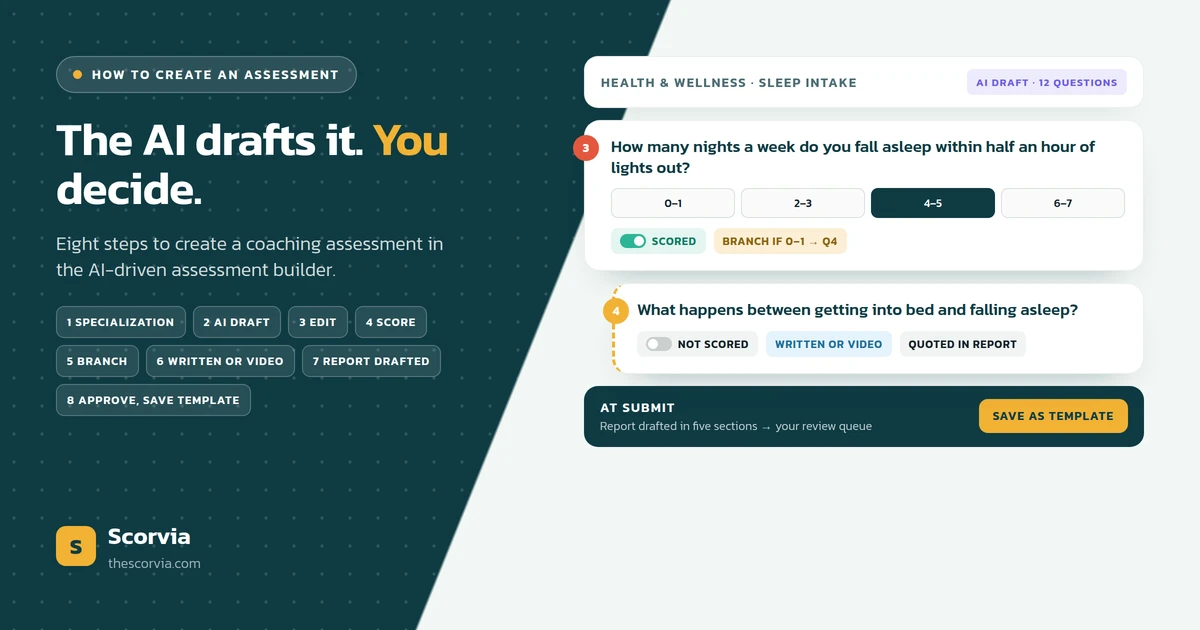
What changes is where the blank pages go. In AI-driven assessment software, you name your industry and specialization and the AI drafts the question set in that field's language; you keep, rewrite or delete each question.
Scoring and branching are settings on the question, not a sheet you maintain. Clients answer online, one question at a time, in writing or on video, and the edited assessment is saved as a template for the next client of that type.
And the report is no longer yours to start. The moment a client submits, a report is drafted in five sections and placed in your review queue; the client sees Under Review until you have edited and approved it. The survey a coaching practice still needs, the post-session feedback check, is built in.
If you decide to switch, how to create an assessment with an AI-driven assessment builder walks through the first one step by step.
A hybrid that works, and one that does not
A hybrid that works is a survey tool for anonymous cohort research and assessment software for every individual client. The two jobs are different and the tools do not overlap.
A hybrid that does not work is a form builder for the questions and a spreadsheet for the scores and a document for the report. That is not a hybrid; it is the assessment software's job split across three tools and done by hand.
Common questions
When should a coach use assessment software instead of survey tools, forms or spreadsheets?
When the output is a report about one client rather than a chart about many, when the same questionnaire is being rebuilt for every client, when scoring or branching lives in a spreadsheet, or when the client report is written by hand after every submission. Survey tools, forms and spreadsheets remain the right choice for post-session feedback, a one-off intake question, and small internal lists.
What is the difference between a survey tool and assessment software?
A survey tool collects the same questions from many people and shows the aggregate. Assessment software asks one person a set of questions and produces a report about that person, with scoring and branching on the questions and, in AI-driven assessment software such as Scorvia, the report drafted the moment they submit, for the coach to approve.
Can a form builder be used for coaching assessments?
Yes, for a simple intake with no scoring, no branching and no report. A form builder collects answers; everything after submit, the scoring, the follow-up questions and the report, is left to the coach. Once any of those three is needed for every client, the form builder is costing more time than it saves.
Are spreadsheets good enough for assessment scoring?
For one coach, one assessment and a handful of clients, a spreadsheet works. It stops working when a second person needs to understand the formulas, when the assessment changes and the sheet does not, or when a calculation error can reach a client in a report. Scoring set on the question itself is applied the same way every time.
Is assessment software worth it for a solo coach?
It depends on whether the coach is doing the four things it replaces: rebuilding questionnaires, scoring by hand, writing reports from scratch and keeping client records across tools. A solo coach doing all four is doing the work of the software by hand. One doing none of them does not need it yet. Scorvia has a 14-day free trial with no card, which is the cheapest way to find out.
Do coaches still need a survey tool if they have assessment software?
Usually not, because the one survey a coaching practice runs, the post-session feedback check, is built into Scorvia. If a coach also runs anonymous research across many respondents, a survey tool is still the right instrument for that.
Everything in the right-hand column of the table is on the Scorvia features page: the assessment builder, templates, and AI-drafted reports with coach approval.
Build one assessment, send it to yourself, and read the draft report. 14-day free trial, no card — see the features page, or pricing.